> ## Documentation Index
> Fetch the complete documentation index at: https://docs.pdf.co/llms.txt
> Use this file to discover all available pages before exploring further.
# Compress & Optimize
> Add this step to your Zapier Workflow to compress & optimize your **PDF** files. This will reduce the file size of your **PDF** whilst maintaining the quality.
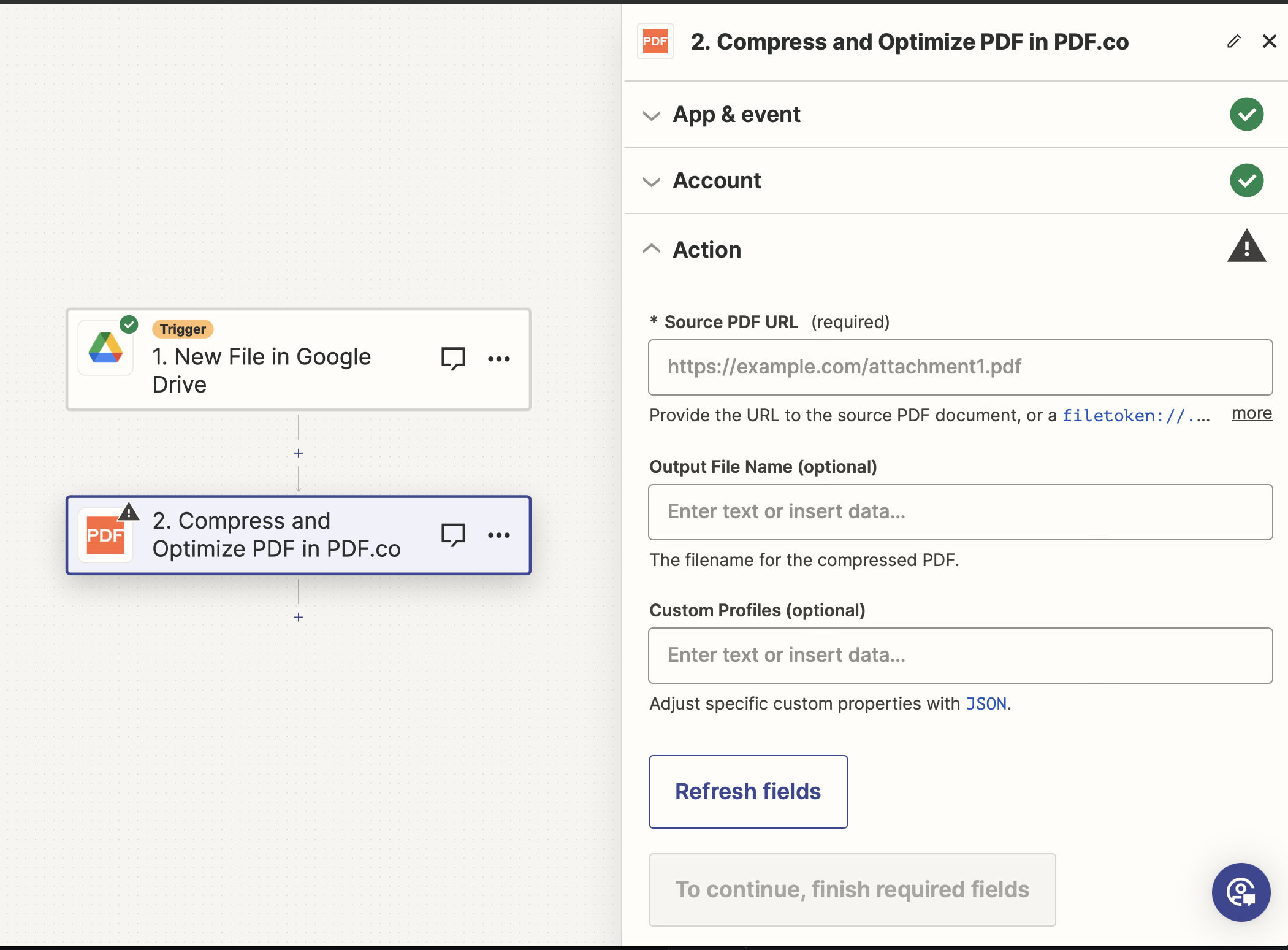 ## Input
| Name | Description | Required |
| -------------------- | ------------------------------------------------------------------------------------------------------------------------------------------------------------------------------------------------------------------------------------------------------------- | -------- |
| **Source PDF URL** | Provide the **URL** to the source **PDF** document, or a `filetoken://` link from [PDF.co Built-In Files Storage](https://app.pdf.co/files). If you use another cloud service such as **Google Drive** or **Dropbox** ensure the link is publicly accessible. | Yes |
| **Output File Name** | The output file name. If left blank then the name `preview-compressed.pdf` will be used. | No |
| **Custom Profiles** | A `JSON` string which adds options for the conversion process. See [Custom Profiles](#custom-profiles) for more. | No |
### Source PDF URL & Google
When using **Google Drive**, it’s typically recommended to choose the **File** option. For more advanced file integration techniques, see [Integrating File Sources with pdf.co](/integrations/zapier/input-file-sources).
## Input
| Name | Description | Required |
| -------------------- | ------------------------------------------------------------------------------------------------------------------------------------------------------------------------------------------------------------------------------------------------------------- | -------- |
| **Source PDF URL** | Provide the **URL** to the source **PDF** document, or a `filetoken://` link from [PDF.co Built-In Files Storage](https://app.pdf.co/files). If you use another cloud service such as **Google Drive** or **Dropbox** ensure the link is publicly accessible. | Yes |
| **Output File Name** | The output file name. If left blank then the name `preview-compressed.pdf` will be used. | No |
| **Custom Profiles** | A `JSON` string which adds options for the conversion process. See [Custom Profiles](#custom-profiles) for more. | No |
### Source PDF URL & Google
When using **Google Drive**, it’s typically recommended to choose the **File** option. For more advanced file integration techniques, see [Integrating File Sources with pdf.co](/integrations/zapier/input-file-sources).
 ## Output
| Name | Description |
| --------------------- | ---------------------------------------------------------------------------------------- |
| `url` | The temporary **URL** on the **PDF.co** file server. |
| `outputLinkValidTill` | A timestamp which indicates how long the `url` will be available for. |
| `error` | Details of any errors (if any). |
| `status` | The [response status](/api-reference/introduction) code. If all good this will be `200`. |
| `name` | The name of the file. |
| `jobId` | The unique identifier for the job. |
| `credits` | The credits spent on the process. |
| `remainingCredits` | The credits left on your account. |
| `duration` | The time it took for the process. |
## Custom profiles
Use Custom [Profiles](/api-reference/profiles) to enhance your workflow with additional processing options. Enter `JSON` configuration to customize OCR settings, output format, text extraction methods, and more.
## Output
| Name | Description |
| --------------------- | ---------------------------------------------------------------------------------------- |
| `url` | The temporary **URL** on the **PDF.co** file server. |
| `outputLinkValidTill` | A timestamp which indicates how long the `url` will be available for. |
| `error` | Details of any errors (if any). |
| `status` | The [response status](/api-reference/introduction) code. If all good this will be `200`. |
| `name` | The name of the file. |
| `jobId` | The unique identifier for the job. |
| `credits` | The credits spent on the process. |
| `remainingCredits` | The credits left on your account. |
| `duration` | The time it took for the process. |
## Custom profiles
Use Custom [Profiles](/api-reference/profiles) to enhance your workflow with additional processing options. Enter `JSON` configuration to customize OCR settings, output format, text extraction methods, and more.
 ### Sample JSON
```json theme={null}
{ "ImageOptimizationFormat": "JPEG", "JPEGQuality": 25, "ResampleImages": true, "ResamplingResolution": 120, "GrayscaleImages": true }
```
You can use any regular API parameter from the [API Reference](/api-reference) within Zapier using the `std_params` feature in profiles. The `std_params` enables the definition of regular API parameters in a JSON format, See [Standard Parameters](/api-reference/profiles#standard-parameters) for detailed documentation and examples.
| Parameter | Type | Default | Description |
| ------------------------- | ------- | ------- | ------------------------------------------------------------------------------------------------------------------------------------------------------ |
| `outputDataFormat` | string | - | If you require your output as `base64` format, set this to `base64` |
| `JPEGQuality` | integer | `25` | Controls JPEG compression quality from 1 (worst quality, smallest size) to 100 (best quality, largest size). |
| `ImageOptimizationFormat` | string | - | The image optimization format. e.g. `"JPEG"` / `"Fax"` / `"Flate"` |
| `JPEGQuality` | integer | - | Quality setting for `"JPEG"` format. e.g. `0` - `100` |
| `ResampleImages` | boolean | - | Whether to resample the images or not. e.g. `true` / `false` |
| `ResamplingResolution` | integer | - | The DPI ([Dots-Per-Inch](https://en.wikipedia.org/wiki/Dots_per_inch)) setting for the document resampling. *e.g.* `72` / `96` / `120` / `150` / `200` |
| `GrayscaleImages` | boolean | - | Whether or not to remove color from images. e.g. `false` / `true` |
### Sample JSON
```json theme={null}
{ "ImageOptimizationFormat": "JPEG", "JPEGQuality": 25, "ResampleImages": true, "ResamplingResolution": 120, "GrayscaleImages": true }
```
You can use any regular API parameter from the [API Reference](/api-reference) within Zapier using the `std_params` feature in profiles. The `std_params` enables the definition of regular API parameters in a JSON format, See [Standard Parameters](/api-reference/profiles#standard-parameters) for detailed documentation and examples.
| Parameter | Type | Default | Description |
| ------------------------- | ------- | ------- | ------------------------------------------------------------------------------------------------------------------------------------------------------ |
| `outputDataFormat` | string | - | If you require your output as `base64` format, set this to `base64` |
| `JPEGQuality` | integer | `25` | Controls JPEG compression quality from 1 (worst quality, smallest size) to 100 (best quality, largest size). |
| `ImageOptimizationFormat` | string | - | The image optimization format. e.g. `"JPEG"` / `"Fax"` / `"Flate"` |
| `JPEGQuality` | integer | - | Quality setting for `"JPEG"` format. e.g. `0` - `100` |
| `ResampleImages` | boolean | - | Whether to resample the images or not. e.g. `true` / `false` |
| `ResamplingResolution` | integer | - | The DPI ([Dots-Per-Inch](https://en.wikipedia.org/wiki/Dots_per_inch)) setting for the document resampling. *e.g.* `72` / `96` / `120` / `150` / `200` |
| `GrayscaleImages` | boolean | - | Whether or not to remove color from images. e.g. `false` / `true` |