

Documentation Index
Fetch the complete documentation index at: https://docs.pdf.co/llms.txt
Use this file to discover all available pages before exploring further.
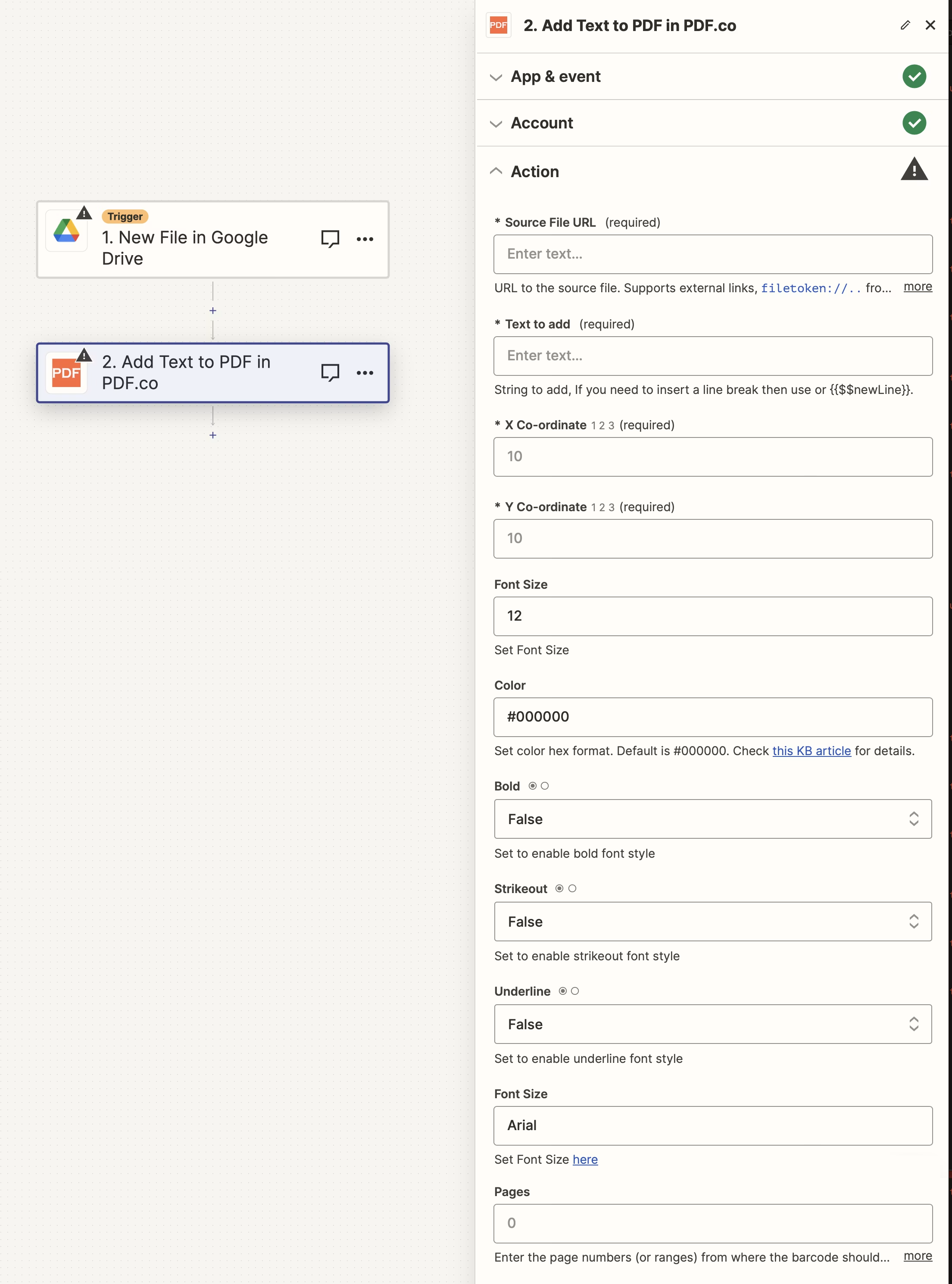
Input
| Name | Description | Required |
|---|---|---|
| Source File URL | Provide the URL to the source PDF document, or a filetoken:// link from PDF.co Built-In Files Storage. If you use another cloud service such as Google Drive or Dropbox ensure the link is publicly accessible. | Yes |
| Text to add | Specify the text to be added. Use \n or {{$$newLine}} for line breaks, and leverage built-in macros like {{$$PageNumber}} and custom data macros. For using special macros on Zapier, see Macros for Text. | Yes |
| X Co-ordinate | Determine the X coordinate for text placement. Use the PDF.co tool to find X and Y coordinates. | Yes |
| Y Co-ordinate | Specify the Y coordinate. Assistance for coordinates can be found using the PDF.co tool. | Yes |
| Advanced Options | Enable this to reveal additional fields | No |
| FontName | Select the font name from the available font list. The default font is Arial. | No |
| Pages | Indicate specific page numbers or ranges where the text should be added. Leave blank to include all pages. The first page is numbered 0. Example: 0,2-5,7-. | No |
| Link | Enter a URL to make the text clickable. | No |
| Font Size | Set the font size, with the default being 12. | No |
| Color | Choose the text color in hex format (#RRGGBB or #AARRGGBB, with AA as transparency). The default is #000000. | No |
| Bold | Enable this to apply bold styling to the font. | No |
| Strikeout | Enable this to apply a strikeout effect to the text. | No |
| Underline | Enable this to underline the text. | No |
Source PDF URL & Google
When using Google Drive, it’s typically recommended to choose the File option. For more advanced file integration techniques, see Integrating File Sources with pdf.co.
Output
| Name | Description |
|---|---|
url | The temporary URL on the PDF.co file server. |
outputLinkValidTill | A timestamp which indicates how long the url will be available for. |
error | Details of any errors (if any). |
status | The response status code. If all good this will be 200. |
name | The name of the file. |
jobId | The unique identifier for the job. |
credits | The credits spent on the process. |
remainingCredits | The credits left on your account. |
duration | The time it took for the process. |